


What happens to client questions, invoices, and other important emails if an employee quits? Have all team members been trained not to fall for phishing scams? What’s the procedure when emails are bouncing back and forth between your small business and a client?
These are a few of the questions that can easily fly under the radar if you don’t have the right email hosting for your business. It’s a tasking that can easily fall to business owners and managers since email is a core part of daily operations and client relations.
Below are several things to consider when choosing email hosting for your business.
Branded Business Email
An email address that’s based on your website’s domain can lend credibility to your brand. This can be important if you’re trying to gain the trust of new and existing clients. An email from yourdomain@freemailservice.com could be mistaken for spam or a scam. Clients are less likely to question the legitimacy of the message if your name or business is tied to your website’s domain, especially if they’ve seen it in previous messages.
An email that’s tied to your website’s domain helps to avoid confusion and makes it easier for people to understand that you or your team wrote the email. Plus, you’ll have a place to store invoices, vendor updates, and other professional emails separate from personal messages. This way, if someone leaves your team, all conversations and contacts are still under your business’ control.
Business-Friendly Features
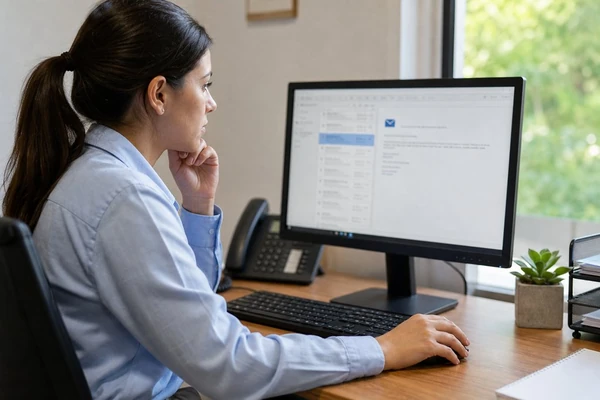
It’s easy to assume that email hosting is all created equal, but features and capabilities can vary from one provider to the next.
Some of the most important email hosting features – more details at forbes.com/advisor/business/software/best-email-hosting-services – to look for include:
- Spam and phishing filters
- Web-based, desktop, and mobile access
- The ability to share calendars, contacts, and other information
- User management and account controls
- Email backup
It’s helpful to think about the tasks and challenges that can arise when you’re using email throughout the workday. If your employees find it difficult to search for an email they received months ago, sign into the company’s inbox, or access email on their smartphone, this can cause problems.
Depending on the needs of your business, Studio 47 Web Design can set up a shared inbox for customer service or billing-related questions. This makes it easy for anyone on the team to reply to messages instead of forwarding emails from one inbox to the next.
Reliability and Security
Email may seem like the most reliable and consistent communication tool around, but there are times when emails aren’t always received and sent as they should. This could have something to do with spam filters, domain settings, email authentication for outgoing messages, account limitations, or another technicality.
Missing an email about payments, product approval, customer service concerns, or other topics could lead to confusion and frustration. Email hosting can seem like a forgotten task until delivery becomes inconsistent for some reason or another.
Before signing up for email hosting for your West Palm Beach, FL, business, make sure you understand who’s responsible for ensuring that email is reliable. Find out if it’s on you or the hosting company to investigate bounced emails, fix locked-out accounts, make changes to domain settings, and so forth. It’s important to have a solid idea of how you’ll deal with these situations to avoid confusion and frustration.
Email Security
Cybercriminals don’t just target large corporations. Many businesses suffer from hacked email accounts and employees who’ve fallen for scams. Criminals may send convincing emails to steal logins, reroute payments, install malware, and more.
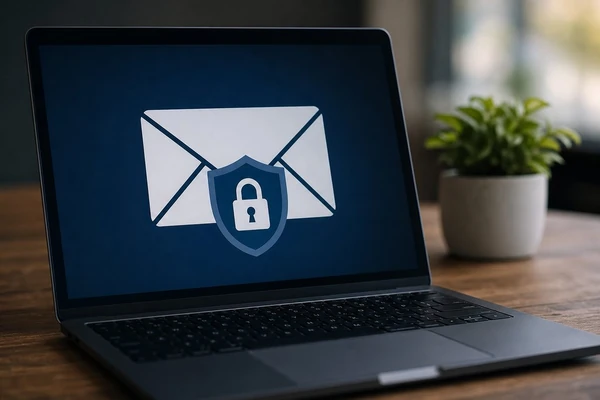
Look for a business email solution that goes beyond just strong password requirements. Other signs that an email hosting option is secure include spam protection (see more), additional steps to verify users’ identities, notifications about unusual sign-in attempts, and more. Make sure your employees understand how to avoid sharing passwords, verify requests to change payment details, avoid opening attachments from unknown senders, and other tactics to stay safe.
Consider an Account Review Every 30 Days. Take stock of which email accounts are being used by team members, if there are any forgotten accounts that should be deleted, whether there are outdated email forwarding options, if anyone’s sharing their password, etc. This helps to avoid security breaches and ensures your email isn’t being accessed by people who shouldn’t have the ability.
Storage and Migration
It can be tempting to look at email hosting options that tout how much storage users get, but this isn’t necessarily the most pressing concern to consider. It’s helpful to have enough room to store important files, but it’s more important to think about how you’ll stay organized, find files again if necessary, and restore messages if something goes wrong.
Also, look at search capabilities so it’s easy to find an email that was received weeks, months, or even years ago. Sending large attachments regularly can bog down email and make it difficult to sift through everyday messages to find something important.
Provider Transition
Moving to a new email hosting provider is more than just entering your username and password. Consider all of the email addresses your business uses. Write down employee addresses, shared mailboxes, accounts that automatically forward messages to another inbox, and more. This way, nothing gets missed.
Ask questions like
- What’s involved in moving existing emails to the new provider?
- Are there options to transfer contacts and calendars?
- Who’s responsible for domain settings?
- How long will users have access to their old accounts?
These are just a few of the considerations that can help you find the right email hosting option for your business.
Email Hosting for Small Businesses in West Palm Beach, FL
